Introduction
Cloud computing has become one of the most important technologies powering the modern digital world. From businesses and government organizations to startups, developers, students, and everyday internet users, millions of people rely on cloud services to store data, run applications, communicate, and access digital resources.
Instead of purchasing and maintaining expensive physical servers, organizations can use computing resources through the internet. Cloud computing provides access to servers, storage, databases, networking, software, analytics, and other technologies whenever they are needed.
The cloud has also changed how businesses build and deliver applications. Companies can quickly increase computing capacity, launch new services, support remote employees, and process large amounts of data without building all of their infrastructure from scratch.
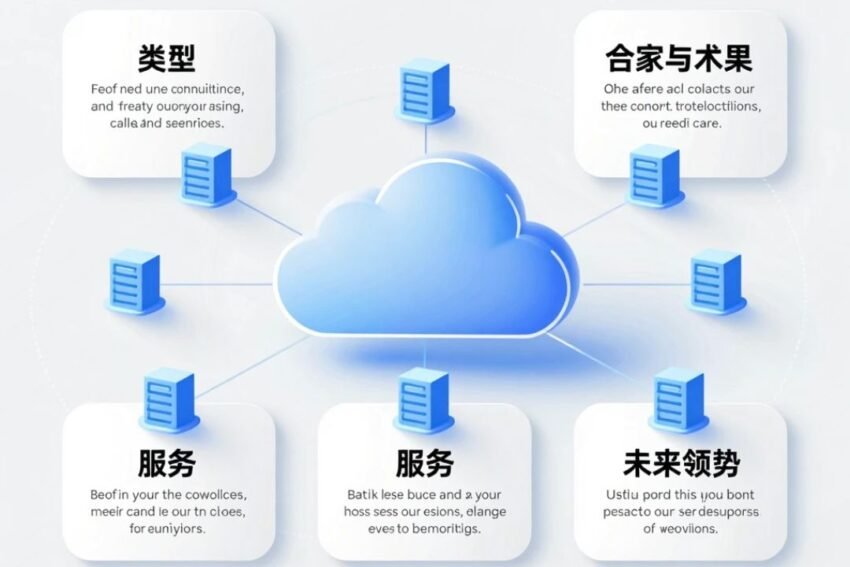
This Cloud Computing Explained guide covers what cloud computing is, how it works, its major types and services, benefits, challenges, applications, security considerations, and future trends.
What Is Cloud Computing?
Cloud computing is the delivery of computing resources and technology services over the internet.
These resources can include:
- Computing power
- Data storage
- Databases
- Networking
- Software
- Analytics
- Artificial intelligence
- Development platforms
- Security services
With traditional IT infrastructure, an organization usually purchases physical hardware and operates it within its own facilities.
With cloud computing, many of these resources can be accessed from cloud providers through internet-connected systems.
For example, a business may rent virtual servers instead of purchasing physical servers. It can also increase or decrease resources based on demand.
This flexible model is one of the main reasons cloud computing has become so widely adopted.
How Does Cloud Computing Work?
Cloud computing works through large networks of data centers containing physical servers, storage systems, networking equipment, and other infrastructure.
Cloud providers use virtualization and software management technologies to divide physical resources into flexible computing environments.
Users can access these resources through:
- Web dashboards
- Mobile applications
- APIs
- Command-line tools
- Cloud management platforms
When a customer requests a virtual machine, database, storage system, or other cloud service, the provider allocates the necessary resources.
The customer generally pays according to the selected service and usage model.
This approach allows organizations to access advanced infrastructure without owning every physical component.
Major Types of Cloud Computing
Cloud computing can be categorized according to deployment models and service models.
Public Cloud
A public cloud provides computing resources through a cloud provider’s shared infrastructure.
Organizations can rent resources without owning the underlying physical hardware.
Public cloud environments can be useful for:
- Startups
- Websites
- Mobile applications
- Development projects
- Data processing
- Business applications
The provider manages the underlying infrastructure while customers manage their applications and configurations according to the service.
Private Cloud
A private cloud is designed for use by a single organization.
It can provide greater control over infrastructure, configuration, security policies, and data management.
Private cloud environments may be suitable for organizations with specialized security, compliance, or infrastructure requirements.
However, private cloud systems can require more management and investment than some public cloud options.
Hybrid Cloud
A hybrid cloud combines private infrastructure with public cloud services.
Organizations can keep certain workloads in private environments while using public cloud resources for other applications.
For example, a company could keep sensitive systems within a controlled environment while using public cloud infrastructure for scalable application workloads.
Hybrid cloud strategies can provide flexibility but may also increase management complexity.
Multi-Cloud
Multi-cloud computing involves using services from multiple cloud providers.
A business might use one provider for databases, another for analytics, and another for specialized AI services.
Multi-cloud strategies can provide access to different capabilities, but they may also require additional monitoring, security controls, skills, and management.
Cloud Computing Service Models
The three traditional cloud service models are IaaS, PaaS, and SaaS.
Infrastructure as a Service
Infrastructure as a Service (IaaS) provides fundamental computing resources.
These can include:
- Virtual machines
- Storage
- Networking
- Firewalls
- Load balancing
IaaS gives organizations greater control over operating systems and applications while the provider manages the physical infrastructure.
Platform as a Service
Platform as a Service (PaaS) provides a development environment for building and deploying applications.
Developers can focus on application code without managing as much underlying infrastructure.
PaaS can include:
- Development frameworks
- Databases
- Application hosting
- Runtime environments
- Development tools
This can speed up software development and deployment.
Software as a Service
Software as a Service (SaaS) delivers complete software applications through the internet.
Examples of SaaS categories include:
- Email platforms
- Project management tools
- Accounting software
- Customer relationship management systems
- Collaboration applications
- Office productivity software
Users generally access SaaS applications through browsers or dedicated applications.
Serverless Computing
Serverless computing is another important cloud model.
Despite its name, serverless applications still run on servers. The difference is that developers do not directly manage the underlying servers.
Cloud providers automatically manage infrastructure and allocate resources as applications execute.
Serverless computing can be useful for:
- APIs
- Event-driven applications
- Automation
- Data processing
- Backend services
It can reduce infrastructure management requirements, although developers still need to consider performance, cost, security, and application architecture.
Benefits of Cloud Computing
Cloud computing provides several potential advantages.
Lower Infrastructure Costs
Organizations can reduce the need to purchase and maintain large amounts of physical hardware.
Instead, they can pay for cloud resources based on their requirements.
This can be particularly useful for startups and smaller businesses.
Scalability
Cloud infrastructure can often scale according to workload requirements.
For example, an online store may need additional resources during a major sales event.
Cloud platforms can allow organizations to increase capacity when demand rises and reduce resources when demand falls.
Flexibility
Cloud services can be accessed from different locations and devices.
This flexibility supports:
- Remote work
- Distributed teams
- Global applications
- Mobile users
- Remote development
Faster Deployment
Cloud platforms can help developers deploy applications more quickly.
Instead of purchasing and configuring physical servers, development teams can provision cloud resources through dashboards or APIs.
This can shorten infrastructure setup times.
Data Backup and Recovery
Cloud storage and backup services can support business continuity.
Organizations can maintain copies of important data and use recovery systems to reduce the impact of hardware failures or other disruptions.
However, cloud backup should still be properly configured and tested.
Global Availability
Large cloud providers operate infrastructure across multiple geographic regions.
This allows businesses to deploy applications closer to users and build systems that can operate across different locations.
Common Applications of Cloud Computing
Cloud computing is used across many industries.
Business Applications
Companies use cloud services for:
- Collaboration
- Accounting
- CRM
- Enterprise software
- Data analysis
Cloud-based applications can make it easier for employees to access business systems from different locations.
Website and Application Hosting
Cloud infrastructure is widely used to host websites and applications.
Developers can deploy web servers, databases, APIs, and application services without maintaining all physical infrastructure themselves.
Data Analytics
Cloud platforms can provide scalable computing resources for processing large datasets.
Organizations can use cloud analytics for:
- Business intelligence
- Customer analysis
- Financial reporting
- Marketing research
- Operational monitoring
Artificial Intelligence and Machine Learning
Cloud computing has become an important infrastructure layer for AI and machine learning.
AI workloads can require significant processing power.
Cloud providers can provide access to specialized computing resources, including GPUs and other accelerators, without requiring organizations to purchase all of the hardware themselves.
Cloud Gaming
Cloud technology is also being explored for gaming.
Cloud gaming can allow some game processing to take place on remote servers while users stream the resulting experience to supported devices.
Performance depends heavily on network quality, latency, server capacity, and the specific service.
Cloud Computing Security
Security is one of the most important aspects of cloud computing.
Organizations should protect cloud environments using multiple layers of security.
Important practices include:
- Strong authentication
- Multi-factor authentication
- Encryption
- Access controls
- Network security
- Security monitoring
- Regular backups
- Vulnerability management
- Secure configuration
One common mistake is assuming that the cloud provider automatically handles every security responsibility.
Cloud security often follows a shared responsibility model.
The provider is responsible for certain parts of the infrastructure, while customers remain responsible for areas such as account security, configurations, applications, and data depending on the service being used.
Challenges of Cloud Computing
Despite its advantages, cloud computing also has challenges.
Internet Dependency
Many cloud services require reliable network connectivity.
A poor connection can affect access to cloud applications and services.
Cost Management
Cloud services can become expensive if resources are poorly managed.
Organizations should monitor usage, remove unused resources, and establish appropriate spending controls.
Security Risks
Misconfigured cloud environments can expose systems or data.
Strong security practices are essential.
Vendor Lock-In
Moving applications from one cloud provider to another can sometimes be difficult.
Organizations should consider portability and interoperability when designing cloud architectures.
Complexity
Modern cloud environments can involve many services, configurations, permissions, and networking components.
Skilled professionals are often required to manage complex deployments.
Cloud Computing and Artificial Intelligence
The relationship between cloud computing and AI is becoming increasingly important.
AI systems require large amounts of computing power, storage, and data-processing capabilities.
Cloud platforms can provide flexible infrastructure for:
- AI model training
- Machine learning
- Generative AI
- Data processing
- AI APIs
- Model deployment
Businesses can therefore experiment with AI without necessarily building large private computing infrastructures.
Cloud-based AI services may also make advanced technology more accessible to smaller organizations.
Edge Computing and Cloud Computing
Edge computing complements cloud computing by processing certain data closer to where it is generated.
This can be useful for applications where low latency is important.
Examples include:
- Internet of Things
- Smart factories
- Autonomous systems
- Connected vehicles
- Real-time monitoring
- Smart cities
Instead of sending every piece of data to a distant cloud server, some processing can happen closer to the user or device.
Cloud and edge computing can therefore work together rather than being completely separate technologies.
Cloud Computing and Remote Work
Cloud computing has played an important role in supporting remote and hybrid work.
Employees can access cloud-based:
- Documents
- Communication platforms
- Project management systems
- Business applications
- File storage
- Collaboration tools
This allows organizations to support distributed teams without requiring every employee to work from a central office.
Security controls such as identity management and multi-factor authentication remain important in remote cloud environments.
Future Trends in Cloud Computing
Cloud computing continues to evolve rapidly.
AI-Powered Cloud Services
AI will increasingly become integrated into cloud platforms.
Businesses may use AI for:
- Automation
- Security monitoring
- Data analysis
- Application development
- Infrastructure management
Serverless Growth
Serverless technologies are likely to remain important for event-driven and scalable applications.
Developers can focus more on application functionality while cloud platforms handle infrastructure operations.
Edge and Cloud Integration
The combination of edge computing and cloud infrastructure may become increasingly important as connected devices generate larger volumes of data.
Cloud-Native Development
Cloud-native architectures are designed to take advantage of cloud capabilities.
Common technologies include:
- Containers
- Kubernetes
- Microservices
- APIs
- Serverless platforms
- Infrastructure as code
These technologies can help organizations build flexible and scalable applications.
Sustainable Cloud Computing
Energy efficiency is becoming an increasingly important consideration.
Cloud providers and technology companies are exploring ways to improve data-center efficiency, optimize computing workloads, and reduce resource consumption.
Increased Cloud Security
As more critical applications move to cloud environments, organizations will continue investing in:
- Zero Trust security
- Identity management
- Encryption
- Threat detection
- Automated security monitoring
- Cloud security platforms
Security will remain a major priority for cloud adoption.
How to Choose the Right Cloud Solution
Organizations should evaluate cloud services according to their specific requirements.
Important considerations include:
- Business requirements
- Application performance
- Security needs
- Compliance requirements
- Data location
- Scalability
- Reliability
- Integration capabilities
- Pricing
- Technical expertise
Businesses should avoid choosing cloud services based only on popularity.
The right solution depends on workload requirements, budget, security needs, technical architecture, and long-term objectives.
Cloud Computing Skills to Learn
Cloud computing has created demand for technology professionals with specialized skills.
Important areas include:
- Cloud architecture
- Networking
- Linux
- Cybersecurity
- Databases
- Containers
- Kubernetes
- DevOps
- Infrastructure as code
- Automation
- Cloud-native development
- AI and machine learning
Professionals can also study major cloud platforms and obtain relevant certifications.
Conclusion
Cloud computing has transformed how organizations access and use digital infrastructure.
Instead of relying entirely on physical servers and locally installed systems, businesses can access computing power, storage, databases, applications, networking, AI services, and development platforms through cloud environments.
The major cloud models include public cloud, private cloud, hybrid cloud, and multi-cloud, while common service models include IaaS, PaaS, and SaaS.
Cloud computing offers important benefits such as scalability, flexibility, faster deployment, global accessibility, and potentially lower infrastructure costs. At the same time, organizations must carefully manage security, costs, complexity, compliance, and vendor dependence.
The future of cloud computing is closely connected with artificial intelligence, edge computing, serverless technologies, cloud-native development, automation, and cybersecurity.
As businesses continue their digital transformation, cloud computing is likely to remain a fundamental part of modern technology infrastructure.
Understanding how cloud computing works and how to use it responsibly can help businesses, developers, and technology professionals take advantage of modern digital capabilities while managing the associated risks.